

Setting up your Acceliqs account is the first step toward experiencing AI-powered trading. The process is simple and designed to get you started quickly while ensuring the security of your funds and information.
Creating Your Acceliqs Account
Acceliqs is an invite-only platform. Registration is available exclusively through an invitation from an existing Acceliqs user or authorized marketer.
This means you cannot simply visit the Acceliqs website and create an account independently. To get started, you’ll need a valid invitation link.
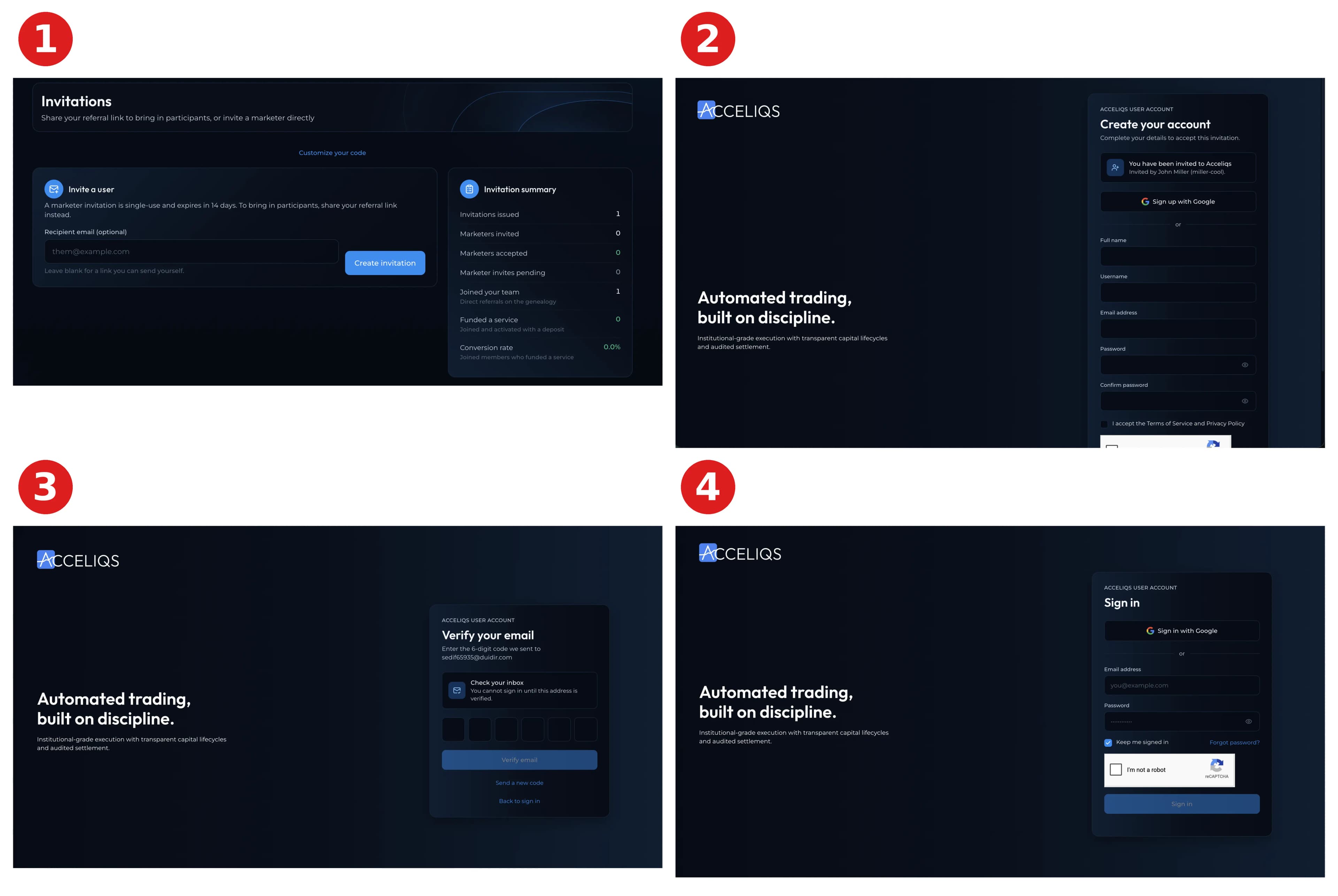
Step 1: Get Your Invitation Link
Request an Acceliqs invitation from an existing user or authorized Acceliqs marketer.
Your invitation link connects your new account to the person who introduced you to the platform. Always make sure you are using the correct invitation link before registering.
Step 2: Create Your Account
Open your invitation link and select Sign Up.
Enter the required information, including your full name, email address, and a strong password. Make sure your information is accurate, as some details may later be required for account verification.
Step 3: Verify Your Email
After registration, Acceliqs will send a verification code or confirmation message to your registered email address.
Enter the verification code when prompted to confirm your email. If you don't see the message, check your spam or junk folder.
Step 4: Sign In
Once your email has been verified, sign in using your registered email address and password.
You’ll then have access to your Acceliqs Dashboard, where you can complete your profile, review available services and licences, manage your wallet, and explore the platform.
Step 5: Secure & Verify Your Account
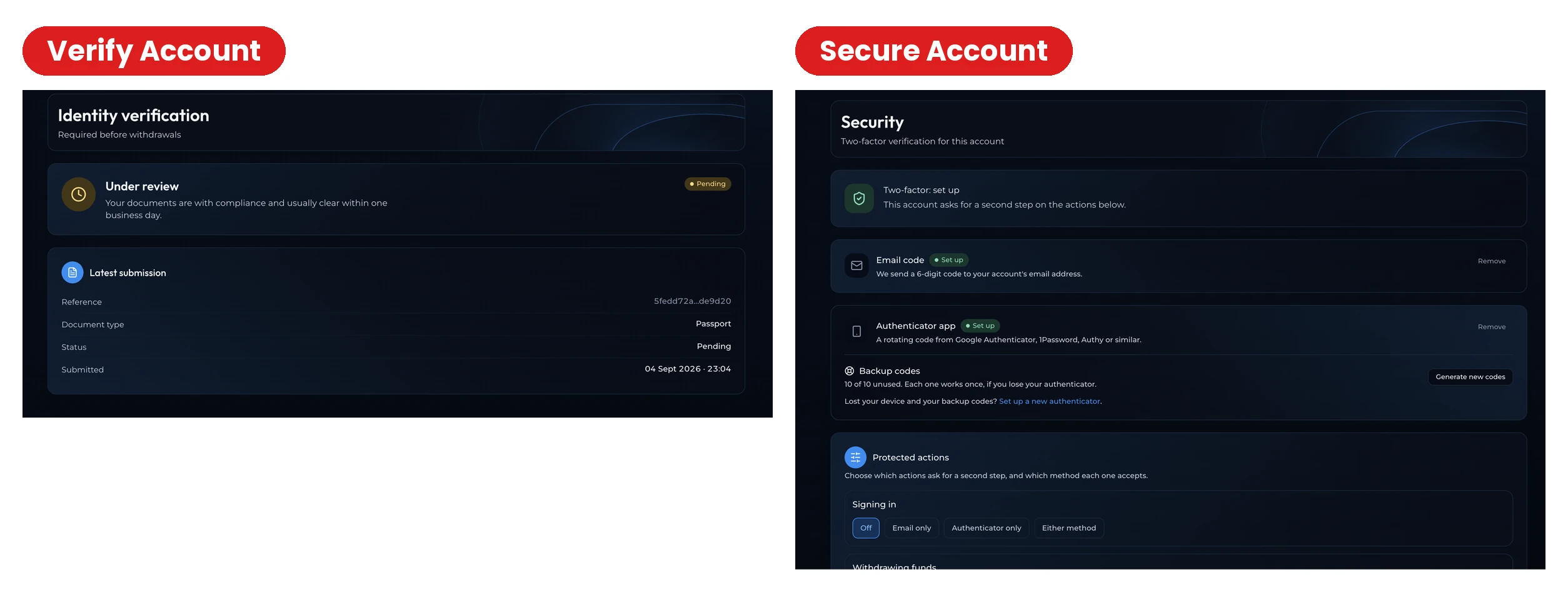
Before using all available platform features, complete any required identity verification and activate the security features available for your account.
Use a unique password that you don't use elsewhere, never share verification codes or login credentials, and enable two-factor authentication (2FA) when available.
Having Trouble Registering?
If you haven't received your verification email, check your spam or junk folder and confirm that you entered the correct email address.
If you've forgotten your password, use Forgot Password on the login screen. For problems with your invitation or registration, contact Acceliqs Support or the person who invited you.
Important
Acceliqs is invite-only. You need a valid invitation link from an existing user or authorized marketer before you can create an account.
Your Acceliqs journey begins with an invitation.